
Overview
The Wrapper Link extension in SiteCraft allows you to make an entire widget, column, or section clickable by applying a single link. Instead of linking individual elements, you can turn the whole area into a clickable block — improving usability and user interaction.
Key Features
- Apply link to entire widget, column, or section
- Works from the Advanced tab (global extension)
- Support for internal and external links
- Open in new tab option
- Improves clickable area for better UX
- Works across all SiteCraft widgets and layouts
How to Enable the Extension
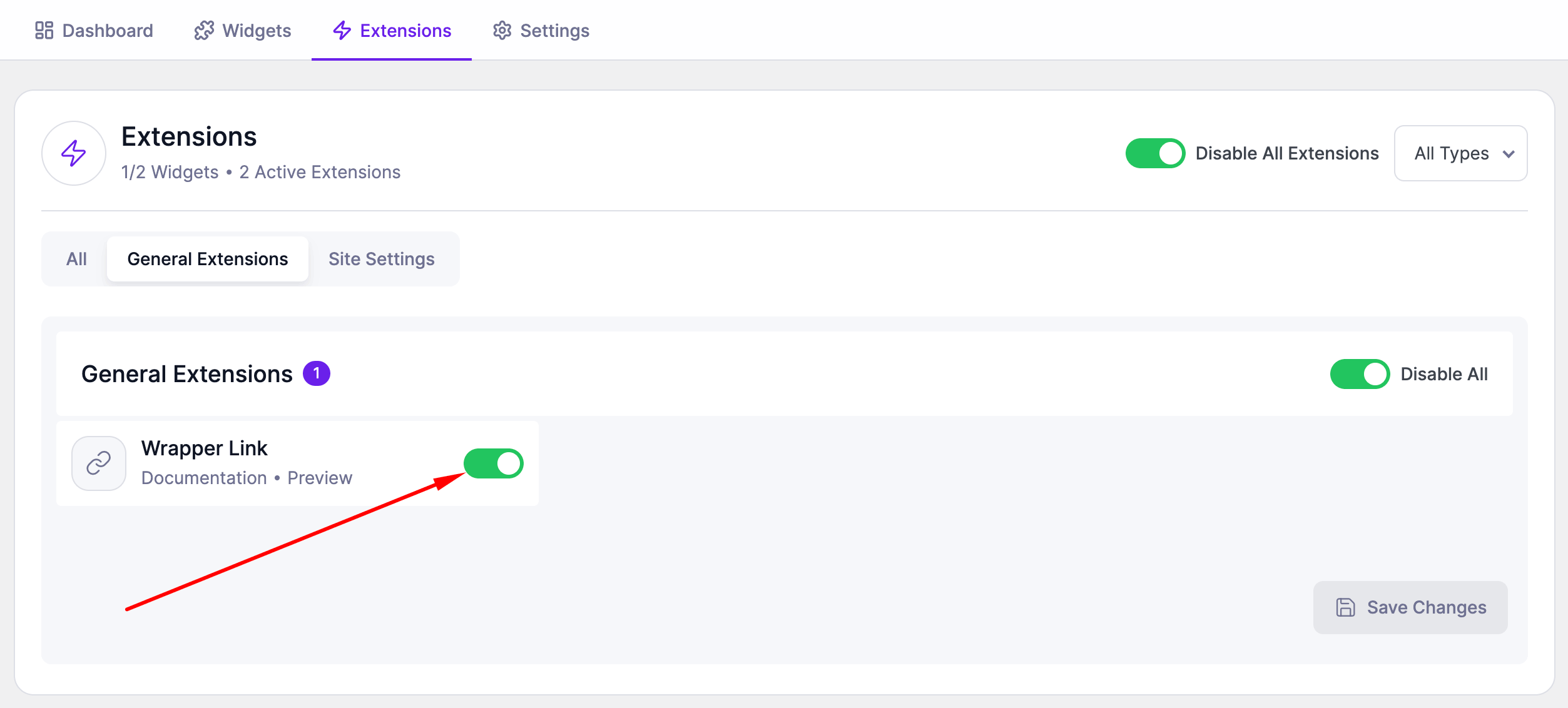
Before using Wrapper Link, make sure it is enabled.
Steps:
- Go to SiteCraft → Dashboard → Extensions
- Find Wrapper Link
- Toggle to enable it
- Click Save Changes
How to Use Wrapper Link
- Open your page with Elementor Editor
- Select any widget, column, or section
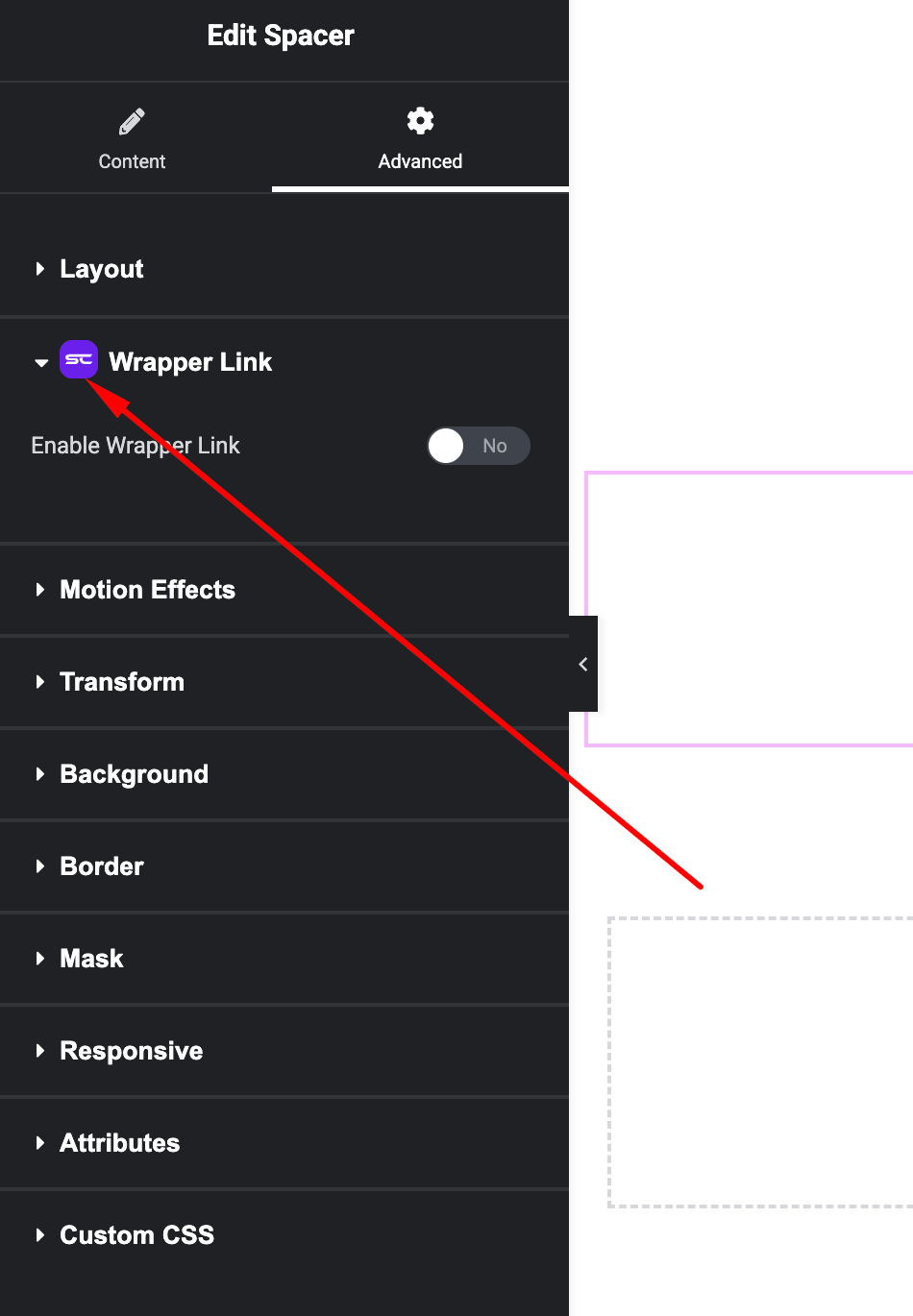
- Go to the Advanced Tab
- Find Wrapper Link settings
- Add your desired URL
Settings Options
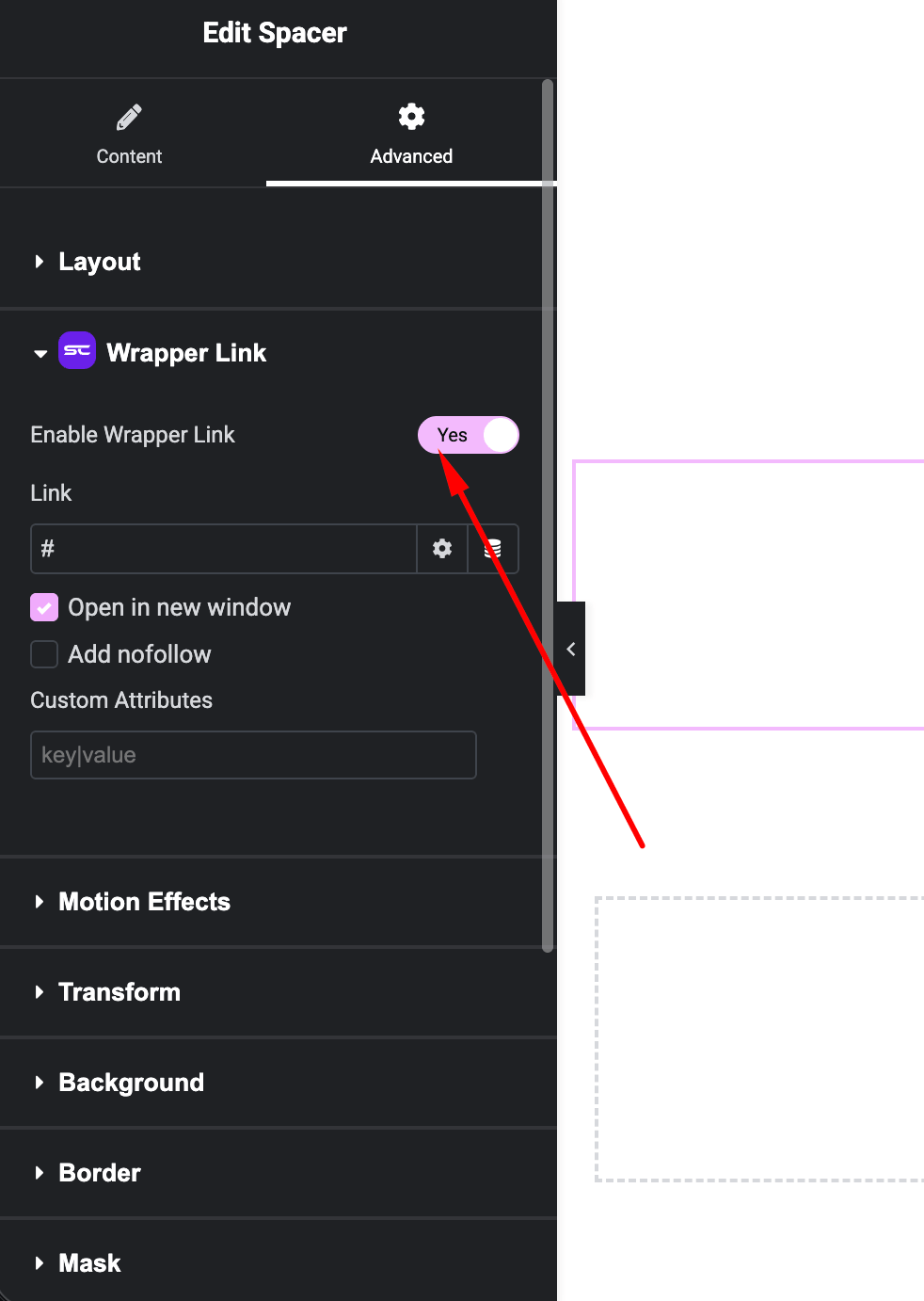
- Link URL – Add the destination link
- Open in New Tab – Enable for external links
- Nofollow (if available) – Add SEO attribute
Important Notes
- Avoid placing links inside elements that already have their own links
- Do not use multiple wrapper links in nested elements (may cause conflicts)
- Ensure accessibility by using meaningful link destinations
Use Cases
Perfect for:
- Clickable cards or boxes
- Blog or portfolio grids
- Call-to-action sections
- Full-width banners
Result
You can now make entire sections or widgets clickable using the SiteCraft Wrapper Link Extension, improving usability and interaction across your website.