
Overview
The Archive Title widget in SiteCraft dynamically displays the current archive title based on the page context. It’s ideal for blog archives, category pages, tag pages, and custom post type archives, helping users understand what content they are viewing.
Key Features
- Dynamic archive title display
- Supports category, tag, author, and date archives
- Works with custom post type archives
- Custom prefix/suffix support (if available)
- Full typography and color controls
- Alignment and spacing control
- Fully responsive design
Requirements
Use this widget on archive-related pages such as:
- Blog page
- Category or tag archive
- Author archive
- Custom post type archive
How to Enable the Widget
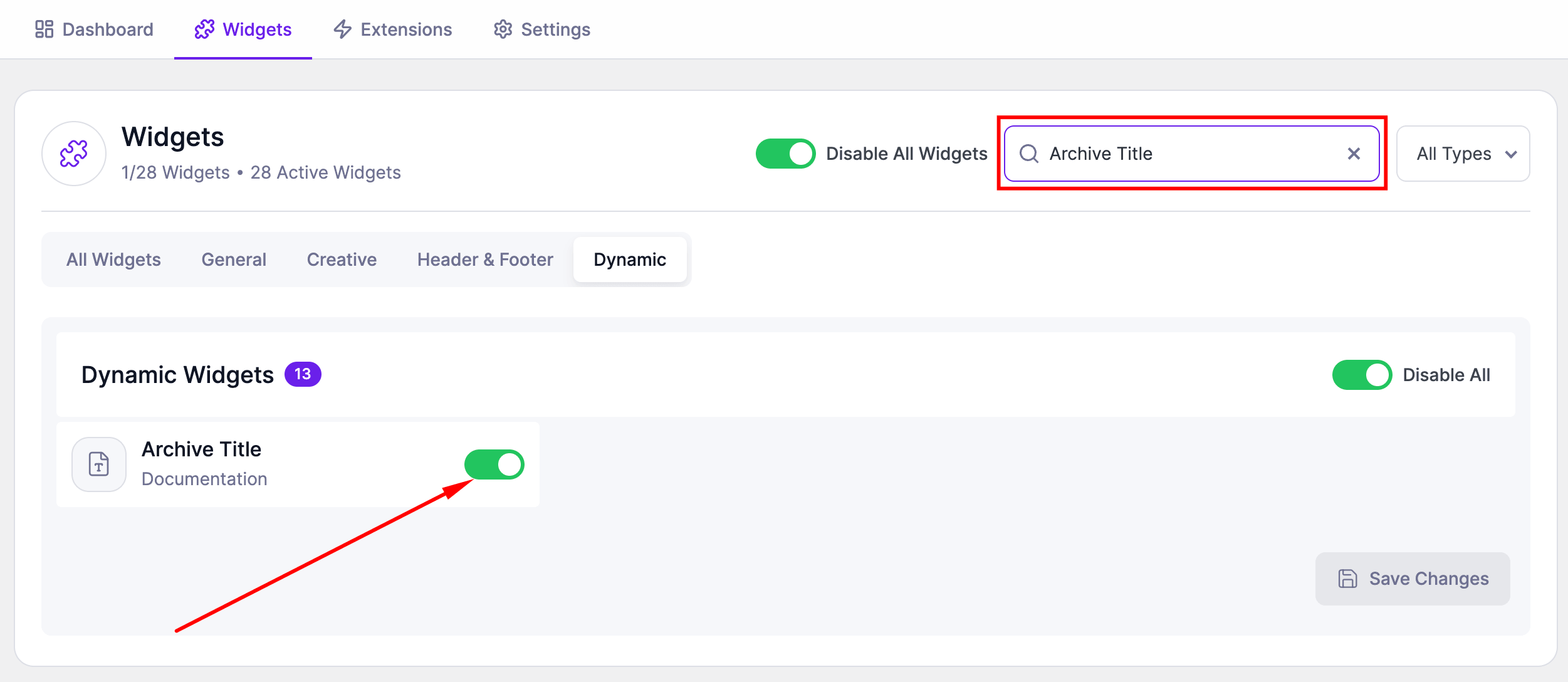
Before using the Archive Title widget, make sure it is enabled.
Steps:
- Go to SiteCraft → Dashboard → Widgets
- Find Archive Title Widget
- Toggle to enable it
- Click Save Changes
How to Add the Widget in Elementor
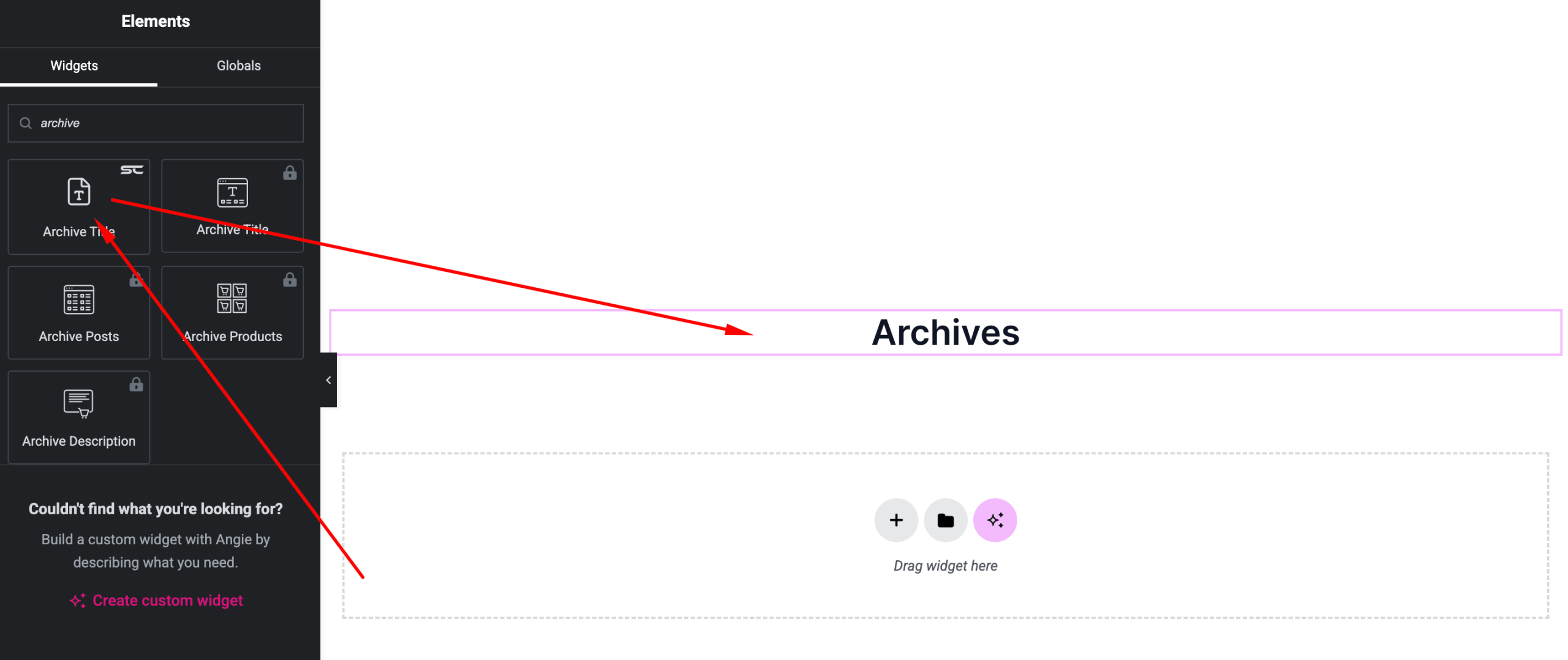
- Open your archive template with Elementor Editor
- Search for “Archive Title” under SiteCraft widgets
- Drag and drop it into your section
- Customize style and alignment
Content Settings
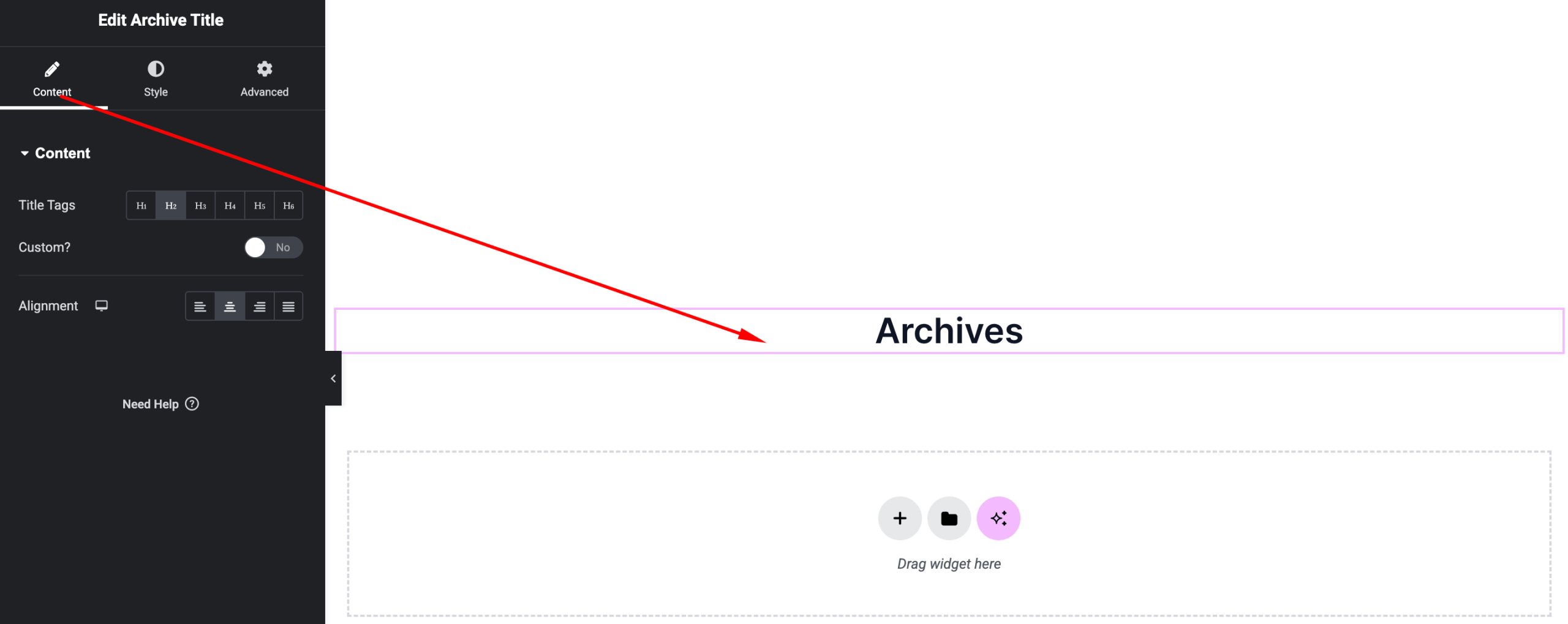
Control how the archive title is displayed.
Options:
- Title Source – Dynamic archive title
- Prefix/Suffix (if available) – Add custom text before/after title
- Alignment – Left, Center, Right
Style Settings
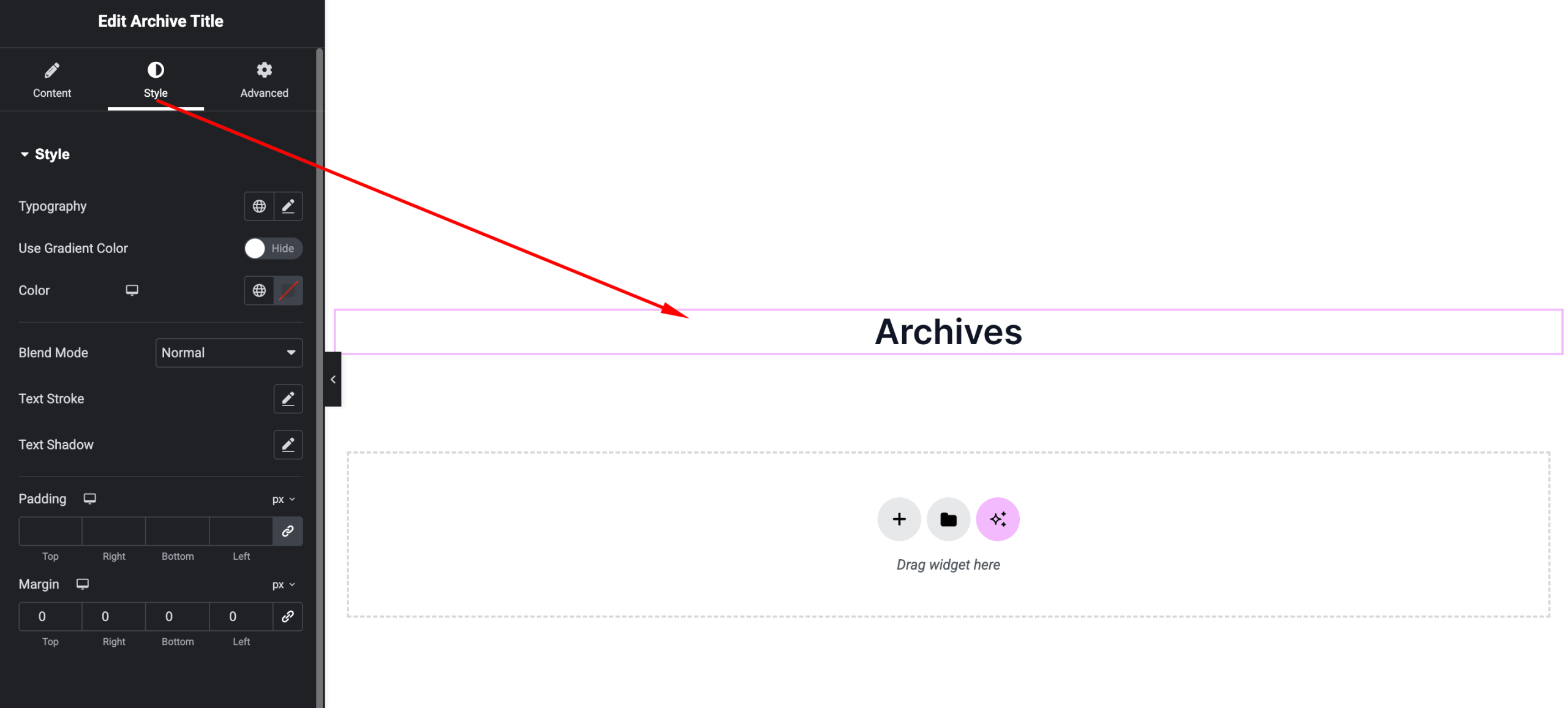
Customize the appearance of the title.
Available Controls:
- Typography – Font, size, weight
- Text Color – Customize color
- Spacing – Margin and line height
- Text Effects (if available) – Shadow, stroke
Advanced Settings
Fine-tune layout and responsiveness.
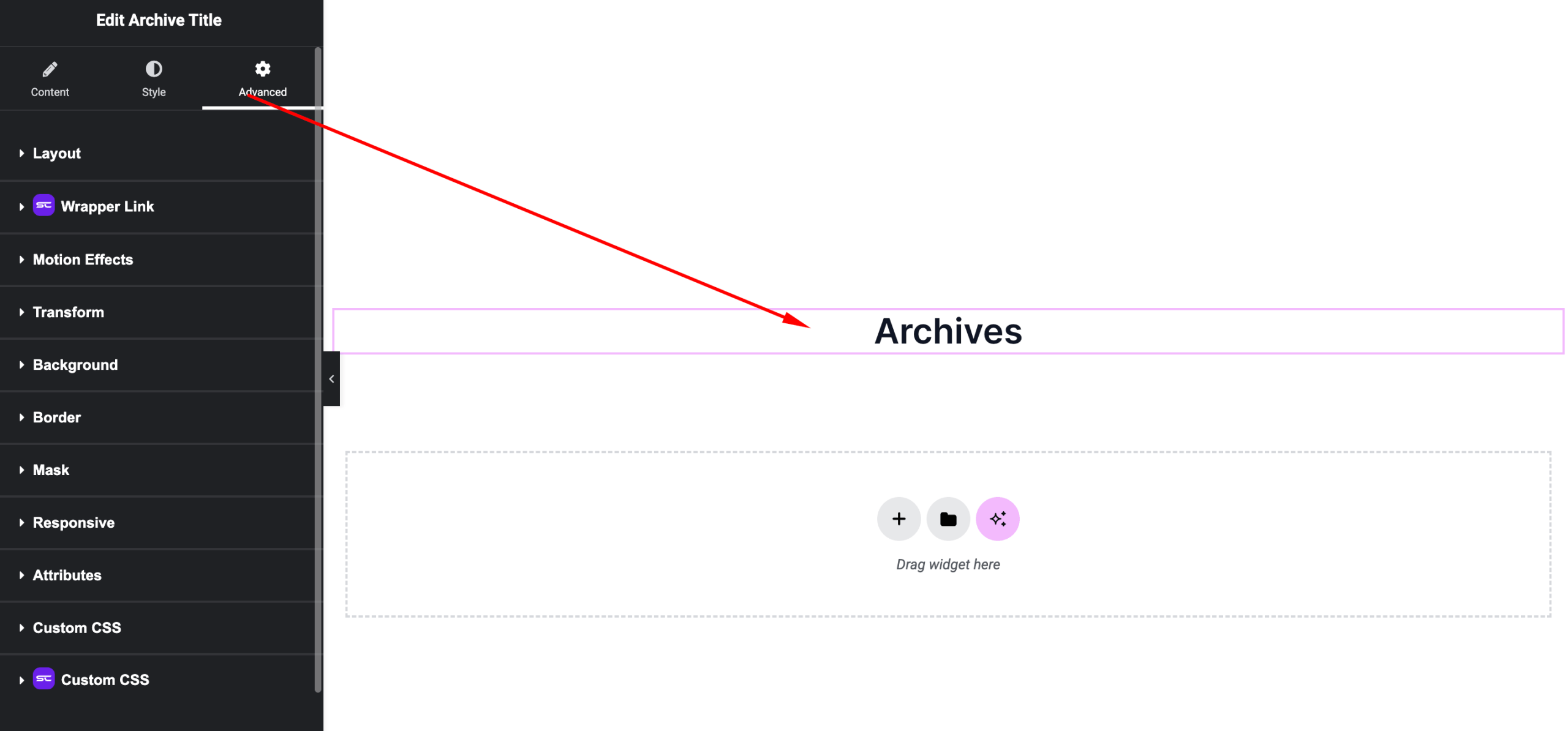
Includes:
- Margin & padding
- Responsive visibility
- Motion effects
- Positioning
- Background & border
Use Cases
Perfect for:
- Blog archive pages
- Category and tag pages
- Author archives
- Custom post type archives
Result
You can now dynamically display contextual titles using the SiteCraft Archive Title Widget, improving clarity and structure across archive pages.