
Overview
The Post Excerpt widget in SiteCraft dynamically displays the excerpt of a post or custom post type. It’s useful for showing short summaries in archive layouts or controlled content previews in single templates.
Key Features
- Dynamic post excerpt display
- Works with posts and custom post types
- Custom excerpt length control (if available)
- Option to show full excerpt or trimmed content
- Alignment and spacing control
- Typography and color customization
- Fully responsive design
Requirements
- Ensure your posts contain excerpts (manual or auto-generated)
- Can be used in Archive or Single Post Templates
How to Enable the Widget
Before using the Post Excerpt widget, make sure it is enabled.
Steps:
- Go to SiteCraft → Dashboard → Widgets
- Find Post Excerpt Widget
- Toggle to enable it
- Click Save Changes
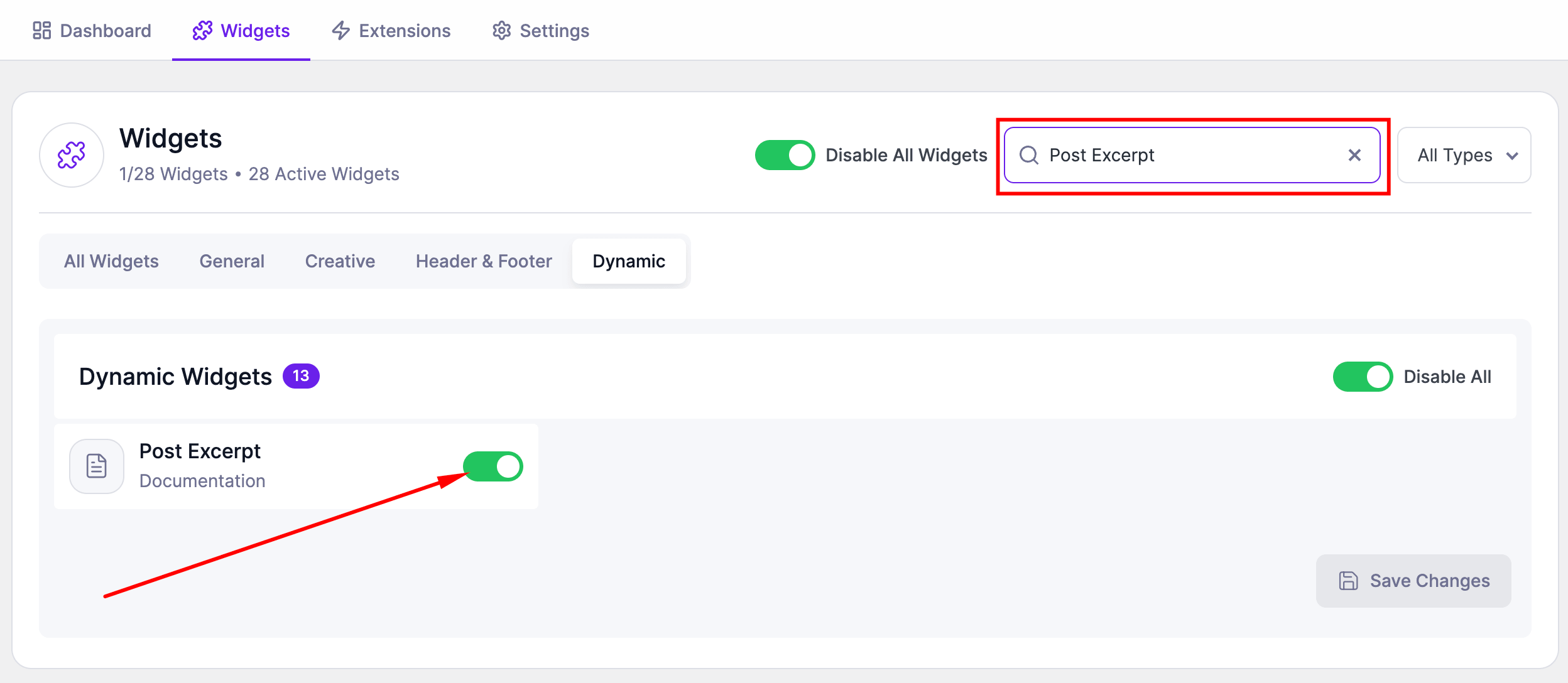
How to Add the Widget in Elementor
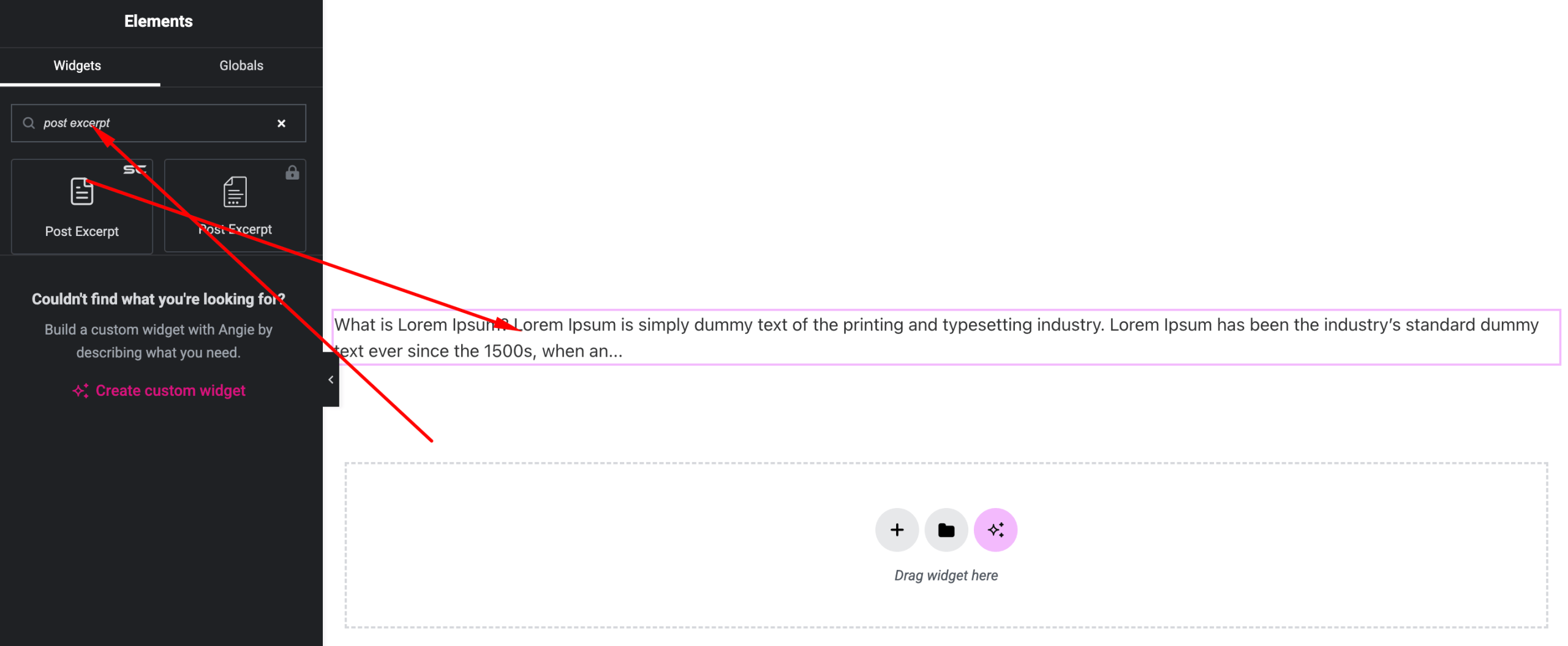
- Open your template (Archive or Single) with Elementor
- Search for “Post Excerpt” under SiteCraft widgets
- Drag and drop it into your layout
- Customize content and styling
Content Settings
Control how the excerpt is displayed.
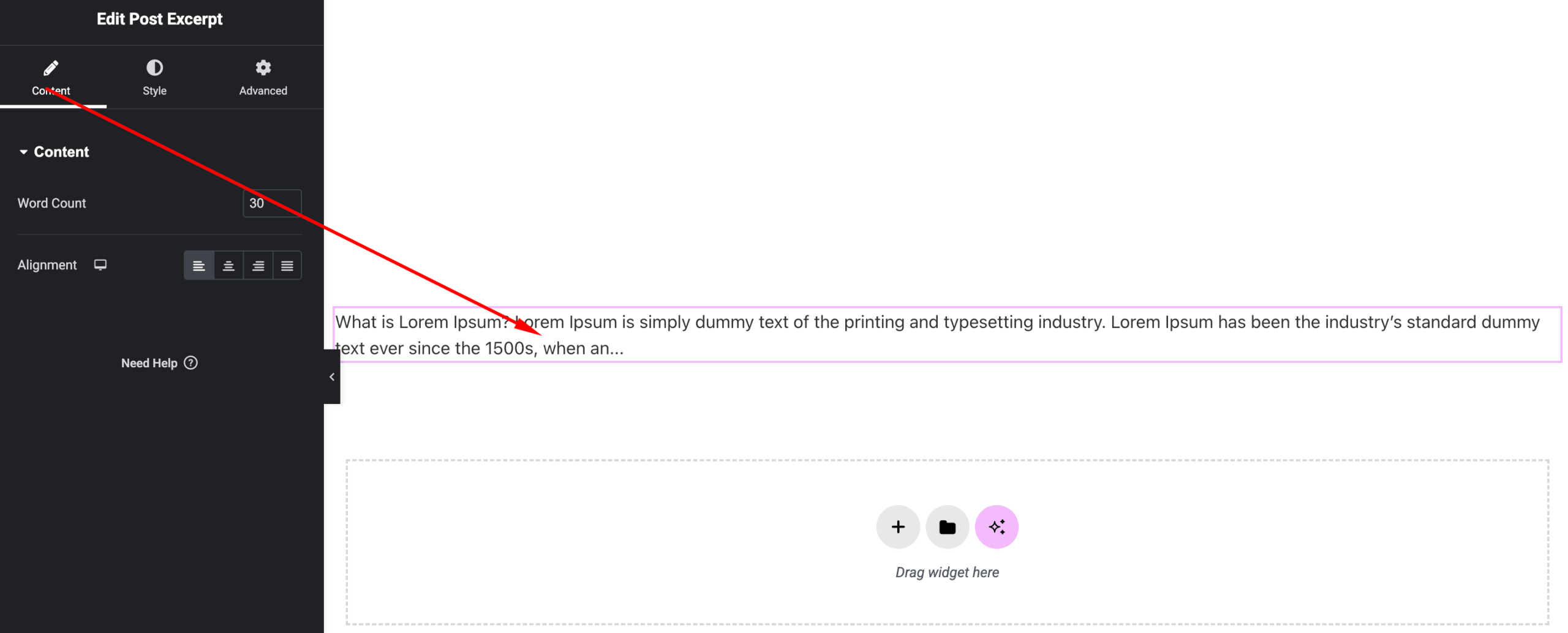
Options:
- Excerpt Source – Dynamic post excerpt
- Excerpt Length (if available) – Limit number of words
- Read More (optional) – Add continuation text
- Alignment – Left, Center, Right
Style Settings
Customize the appearance of the excerpt.
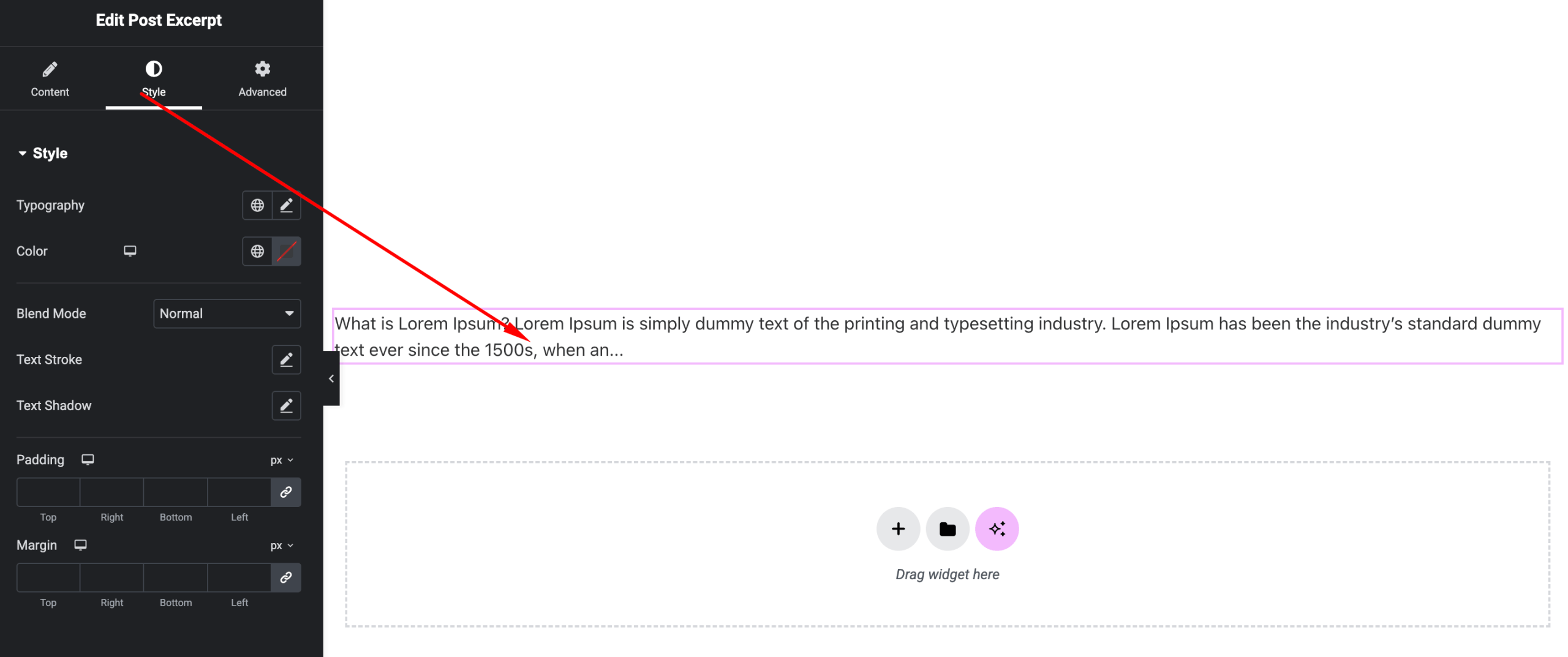
Available Controls:
- Typography – Font, size, weight
- Text Color – Customize color
- Spacing – Line height and margins
- Read More Styling (if available) – Color and hover effects
Advanced Settings
Fine-tune layout and responsiveness.
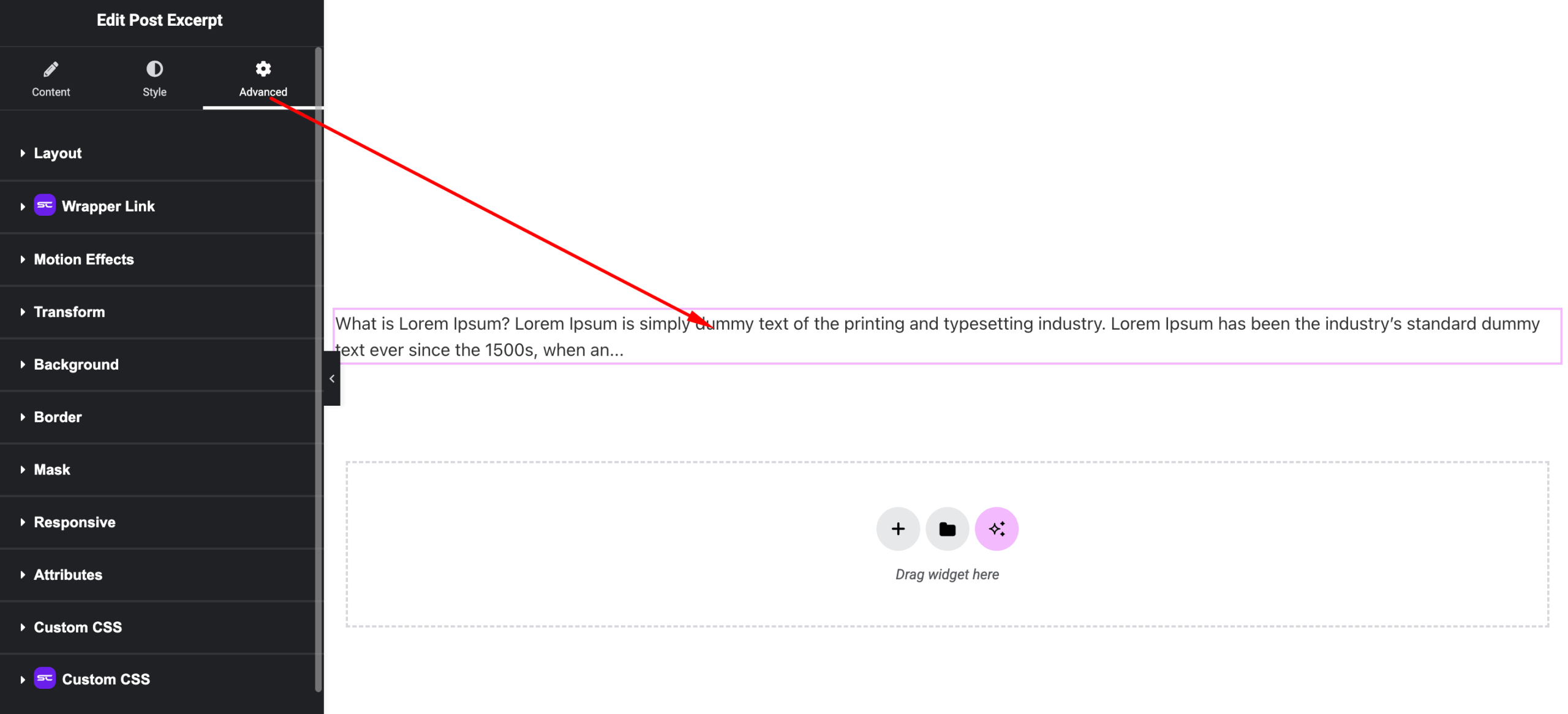
Includes:
- Margin & padding
- Responsive visibility
- Motion effects
- Positioning
- Background & border
Use Cases
Perfect for:
- Blog archive pages
- Post previews
- News listings
- Content summaries
Result
You can now display clean and controlled content summaries using the SiteCraft Post Excerpt Widget, improving readability and content structure.